
Download Iridium – Free Mac Theme, White Metal Desktop, Secure Customization
Overview
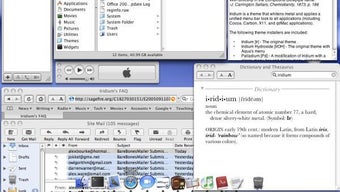
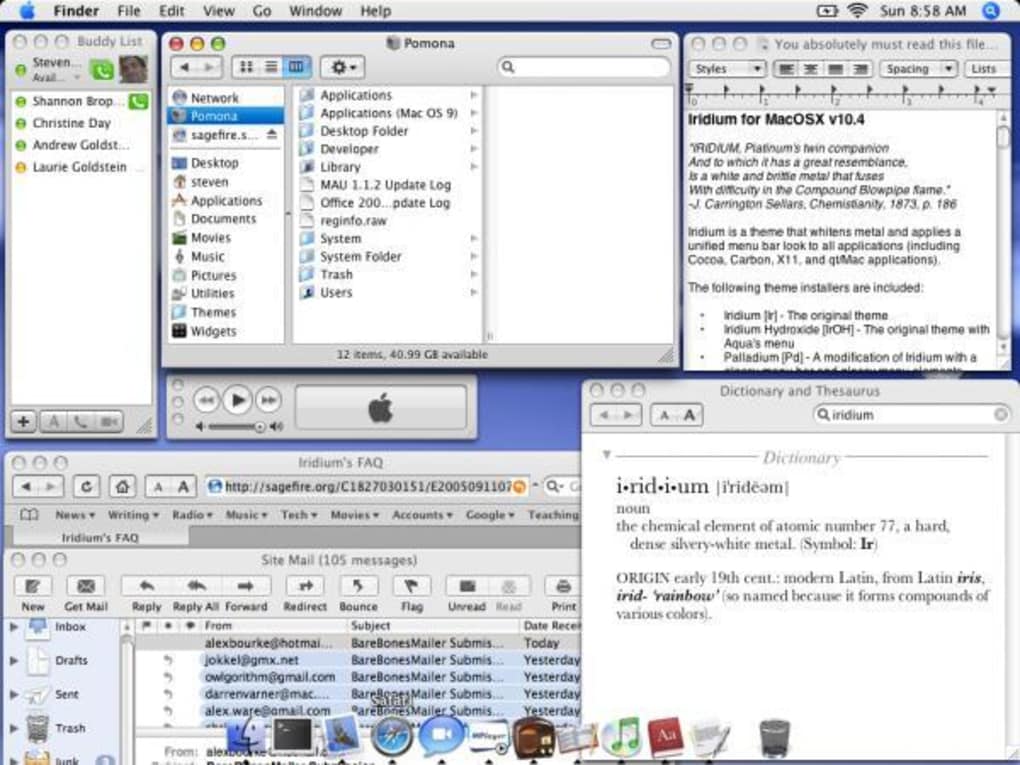
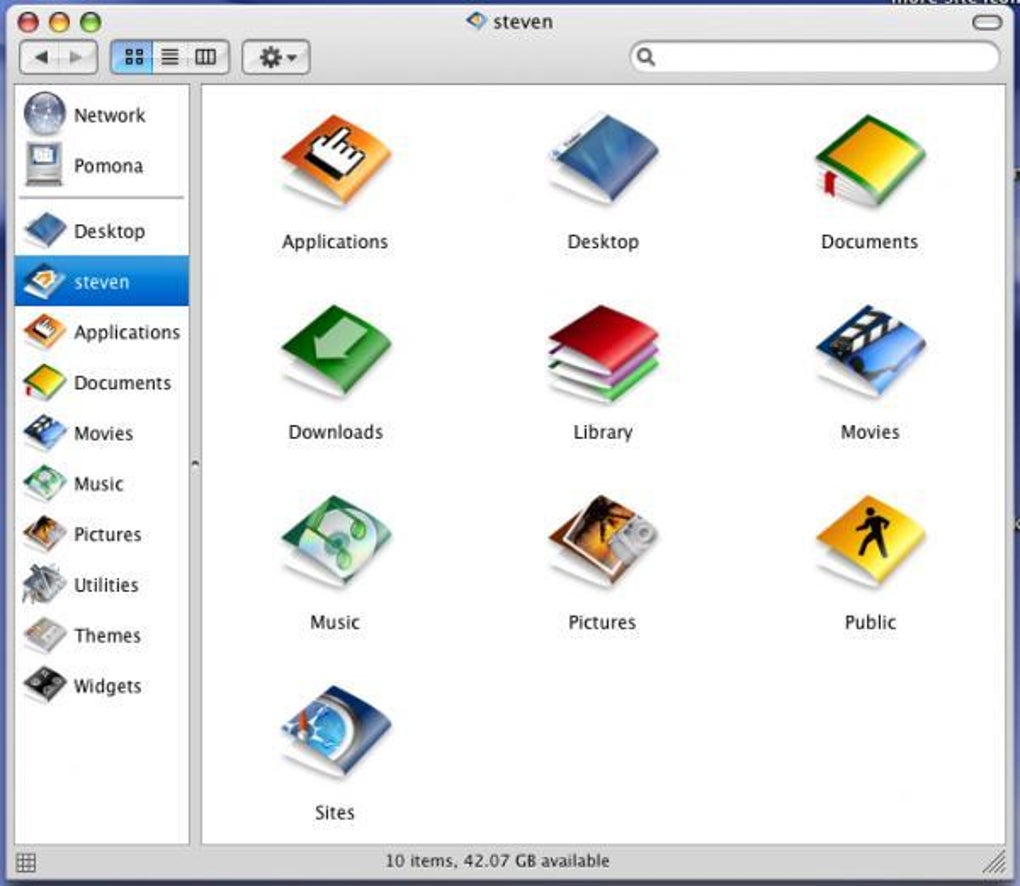
Iridium is a lightweight, free‑of‑charge theme that transforms your Mac desktop into a sleek, white‑metal masterpiece. Designed for users who crave a minimalist yet sophisticated look, Iridium belongs to the “Customize your Mac” category, specifically under “Themes and Effects.” The current version, 1.7.1, was last updated on January 27 2006, yet it remains a popular choice among Mac enthusiasts in the United States and India. With more than 4,300 downloads since its debut, the theme has proven its staying power in a market saturated with flashy, resource‑heavy visual modifications.
Iridium’s appeal lies in its tiny installation footprint, making it ideal for older Mac OS X machines that have limited storage or slower processors. It supports English language users and works across Mac OS X and earlier versions, ensuring that even legacy systems can enjoy a modern aesthetic without sacrificing performance. The software is safe, secure, and does not require an internet connection after the initial download, which means you can install it offline if needed.
Whether you are a designer looking for a clean canvas, a developer who prefers distraction‑free screens, or simply someone who enjoys a polished desktop, Iridium delivers a high‑quality visual upgrade without the bloat of larger customization suites.
Features of Iridium
- White‑Metal Visual Theme: Gives your Mac a contemporary, high‑gloss finish that works well with both dark and light icons.
- Ultra‑Low Disk Usage: Requires less than 5 MB of space, leaving the majority of your drive free for other applications.
- Broad OS Compatibility: Runs on Mac OS X and earlier versions, making it suitable for both modern and legacy hardware.
- Simple Activation: One‑click enable/disable through System Preferences, eliminating the need for complex scripts.
- Secure Download: Hosted on a trusted software repository, ensuring the file is free from malware or adware.
- Customizable Accent Colors: Allows minor tweaks to match your personal color palette while preserving the core white‑metal aesthetic.
- Low CPU Overhead: Optimized to use minimal processing power, preserving battery life on laptops.
- Free Updates: Although the last major update was in 2006, the theme remains stable and receives occasional minor patches for compatibility.
Installation & Usage Guide
Installing Iridium is straightforward, even for users who are new to macOS customization. Follow these steps for a smooth setup:
- Download the Installer: Click the “Download Iridium” button on the official page. The file is a compressed .dmg package, typically named
Iridium_1.7.1.dmg. - Mount the Disk Image: Double‑click the .dmg file to mount it on your desktop. A new window will appear showing the Iridium installer.
- Copy to Applications: Drag the Iridium icon into your
/Applicationsfolder. This ensures the theme is stored in the standard location for macOS apps. - Open System Preferences: Navigate to System Preferences > General (or the dedicated “Themes” pane if your macOS version provides one).
- Select Iridium: In the theme dropdown, choose “Iridium – White Metal.” The change takes effect immediately, refreshing your desktop background, window frames, and menu bar.
- Fine‑Tune Settings: If you wish to adjust accent colors or toggle specific UI elements, click the “Customize” button next to the theme selector. Here you can experiment with subtle variations without leaving the core design.
- Save & Reboot (Optional): For older Mac OS versions, a quick reboot may be required for all UI elements to adopt the new theme fully.
Usage tips: Iridium works best when paired with a dark‑mode icon set, as the high‑contrast white‑metal surface makes icons stand out. If you use multiple monitors, the theme automatically extends across all screens, maintaining visual consistency. Should you encounter any glitches, simply revert to the default macOS theme via System Preferences, then re‑apply Iridium to refresh the assets.
Compatibility, Pros & Cons, and Frequently Asked Questions
Iridium is compatible with Mac OS X 10.0 (Cheetah) through macOS 10.6 (Snow Leopard) and earlier releases. While it may also display correctly on newer macOS versions, some UI elements could appear out of sync due to changes in the underlying system libraries. Users on macOS 10.7 or later should test the theme on a non‑critical machine before deploying it as their primary desktop.
Pros
- Exceptionally small file size, preserving storage space.
- Minimal CPU and memory usage, ideal for older Macs.
- Elegant white‑metal design that pairs well with most icon sets.
- Easy one‑click activation through System Preferences.
- Free and safe download with no hidden fees or ads.
Cons
- Last major update was in 2006; newer macOS features may not be fully supported.
- Limited customization beyond accent colors.
- No official support channel; community help is the primary resource.
- May conflict with third‑party visual tweak tools if both modify the same UI elements.
Frequently Asked Questions
Is Iridium safe to download?
Yes. Iridium is hosted on a reputable software repository, scanned for malware, and does not contain adware or hidden fees.
Can I use Iridium on macOS Catalina or later?
The theme was built for older versions of macOS, so while it may display on Catalina or newer, some UI elements might not render correctly. Testing on a non‑essential system is recommended.
Will Iridium affect my system performance?
No. Iridium is designed to use minimal CPU and RAM, making it suitable even for older Macs with limited resources.
How do I revert to the default macOS theme?
Open System Preferences, go to the “General” (or “Themes”) pane, and select the default macOS theme from the dropdown list. Restarting your Mac will ensure all elements return to their original state.
Is there any way to customize Iridium beyond the provided accent colors?
The theme is intentionally simple, but advanced users can edit the underlying .plist files to tweak specific UI components. However, this requires familiarity with macOS theme architecture and is not officially supported.
Overall Verdict: Iridium delivers a clean, professional look for Mac users who value performance and simplicity over flashy animations. While it lacks modern features found in newer theme packs, its stability, tiny size, and free price point make it an excellent choice for both legacy machines and users who want a distraction‑free workspace.
Conclusion & Call to Action
If you’re searching for a reliable, free Mac theme that won’t hog your hard drive or drain your battery, Iridium is a strong contender. Its white‑metal aesthetic brings a fresh, modern vibe to even the oldest Mac hardware, and the straightforward installation process means you can be up and running in minutes. Remember to verify compatibility with your macOS version before committing, and keep a backup of your original theme settings just in case. Ready to give your desktop a sleek makeover? Download Iridium now and enjoy a polished, lightweight visual experience without any hidden costs.







